We use cookies to analyze traffic and enhance your dark aesthetic experience. By clicking "Accept", you agree to our data protocol.
Negative Photo Filter & Film Grain
Turn light into dark. Use our free negative photo filter to instantly negate picture colors in your browser. Apply a heavy 1970s grain photo filter free of charge, add authentic noise filter photo effects, and craft the ultimate cursed aesthetic without downloading heavy software.
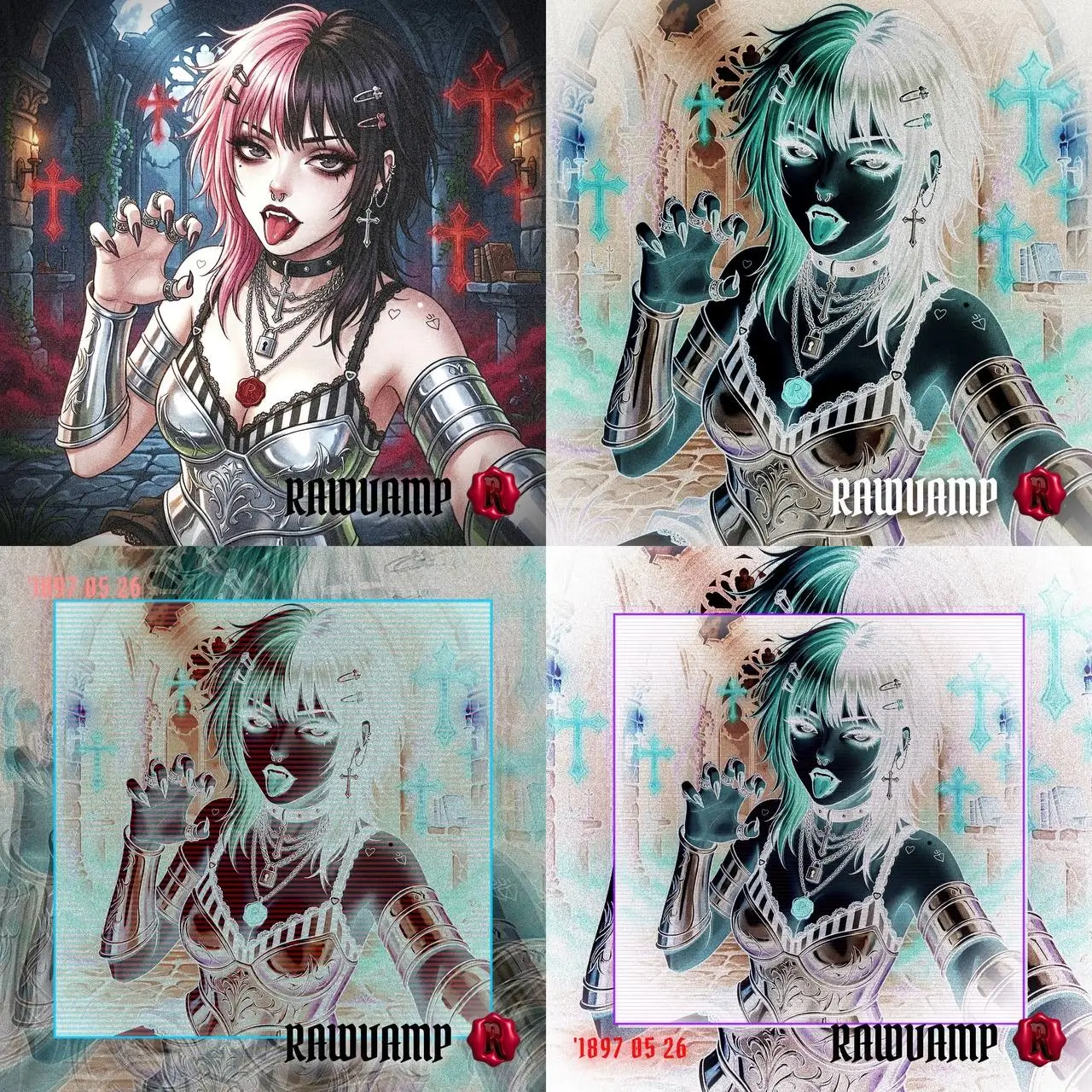
Total color inversion creating a cursed Y2K PFP aesthetic.
Inversion & Noise Showcase
Portraits processed through our mathematical color inversion and texture engines.
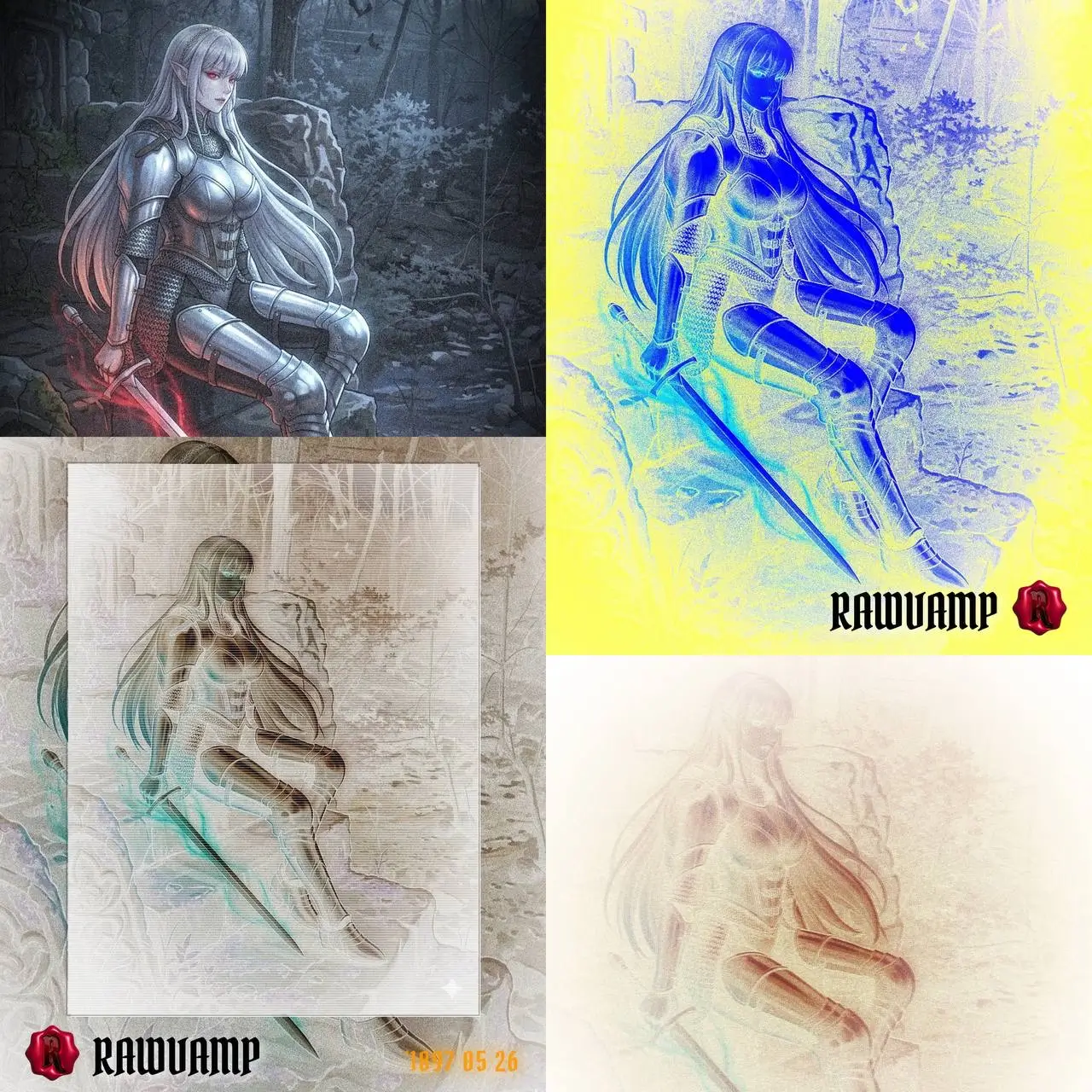
PURE NEGATIVE INVERT 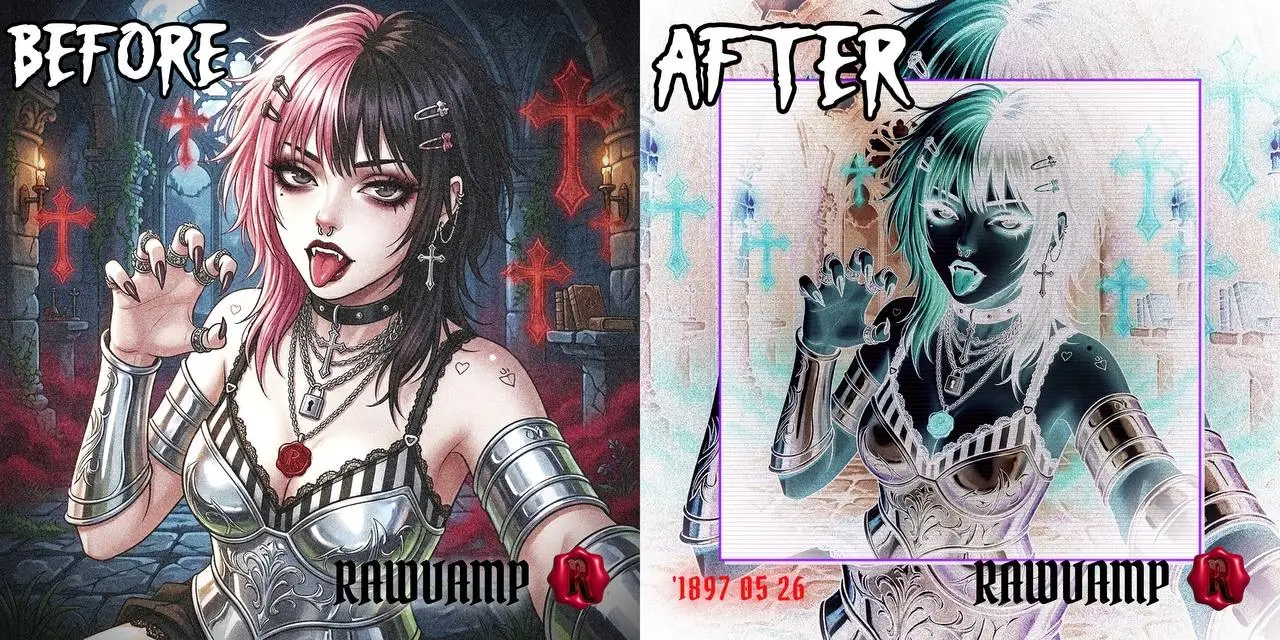
CYBER BLUE SHIFT 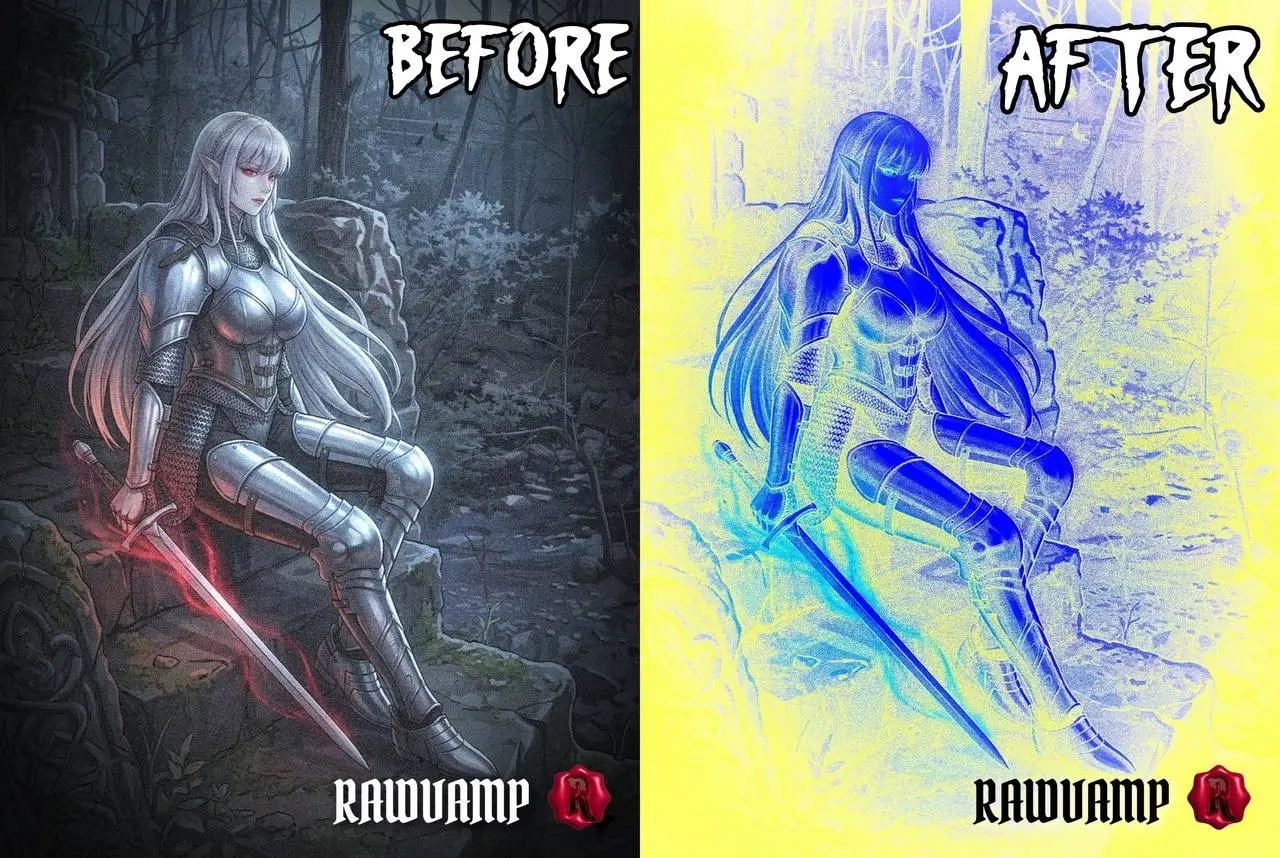
VHS GLITCH & NOISE 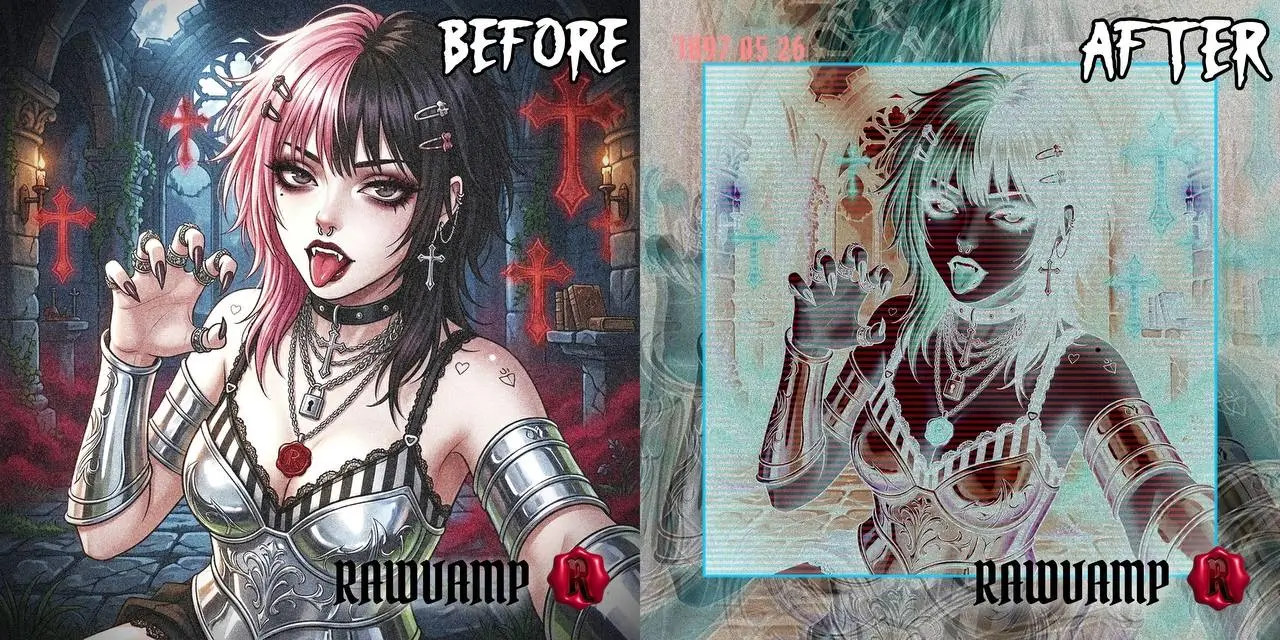
70S FADED FILM 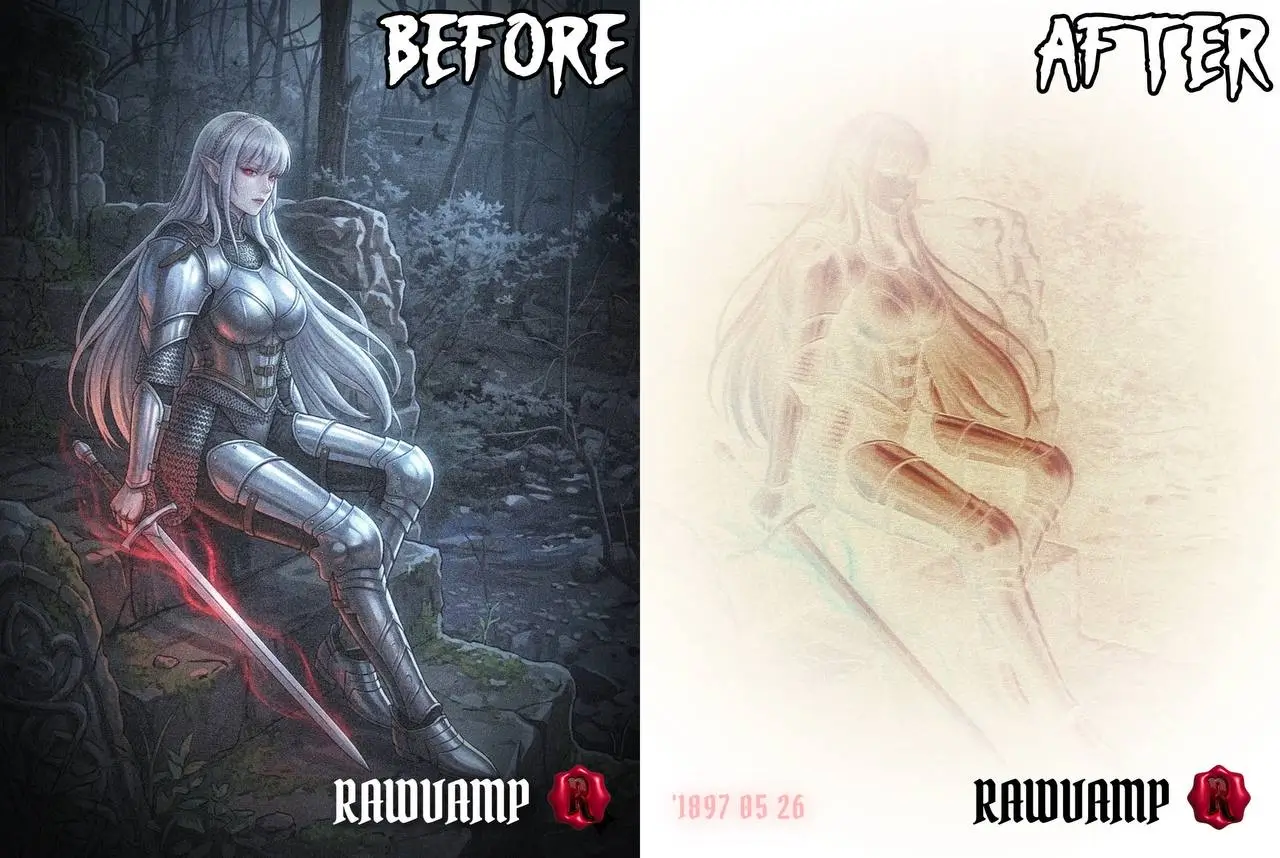
How to Negate Picture Colors
1
Load Your Art
Drag and drop your image into our private photo editor. The process is completely secure and local.
2
Toggle Inversion
Click the Invert switch in the toolbar. Our engine mathematically flips the RGB channels to act as a flawless photo negative filter.
3
Inject Film Noise
Adjust the Grain slider to apply a noise filter photo texture, turning a clean digital inversion into a gritty, analog-style artifact.
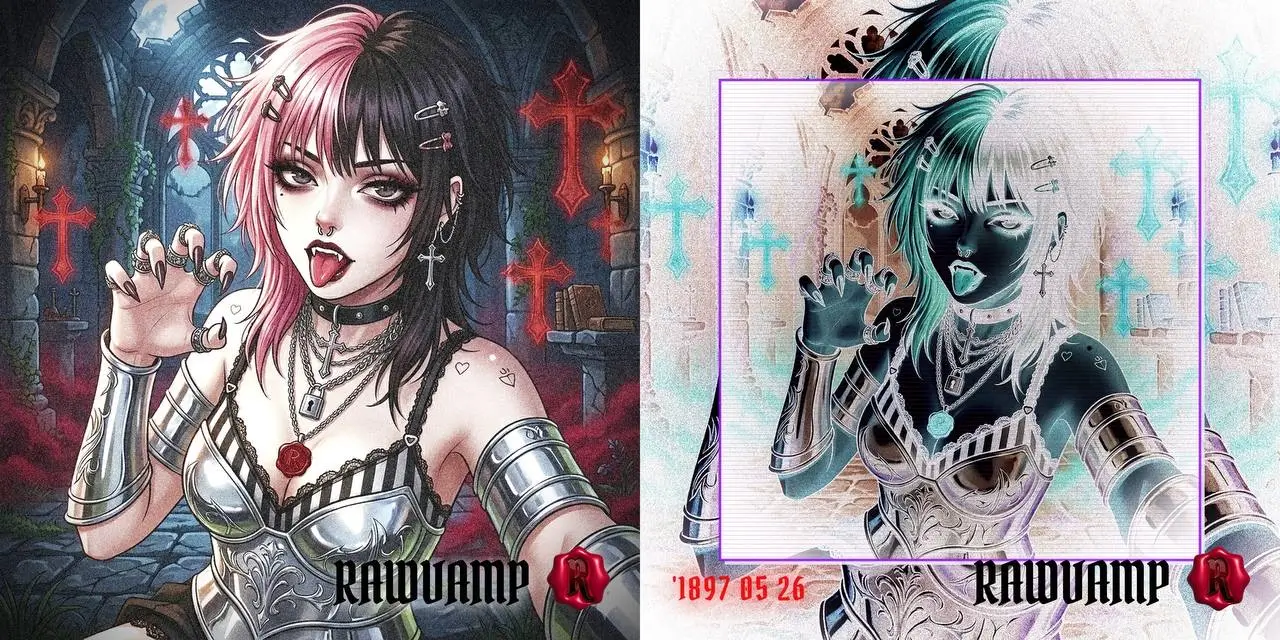
Negation + Date Stamp
The Anatomy of Digital Decay
If you want to know how to create a true cursed aesthetic or a chaotic y2k pfp, simple color grading is not enough. Mainstream editors push for clean, bright perfection. We provide the tools to destroy it beautifully.
RawVamp’s photo filter negative works on a sub-pixel level. When you combine a hard color inversion with our heavy 1970s grain photo filter free of charge, you emulate the look of degraded, lost VHS tapes and underground punk zines. This isn't a plastic overlay; it is a true vintage camera filter ai experience built for the alternative web.
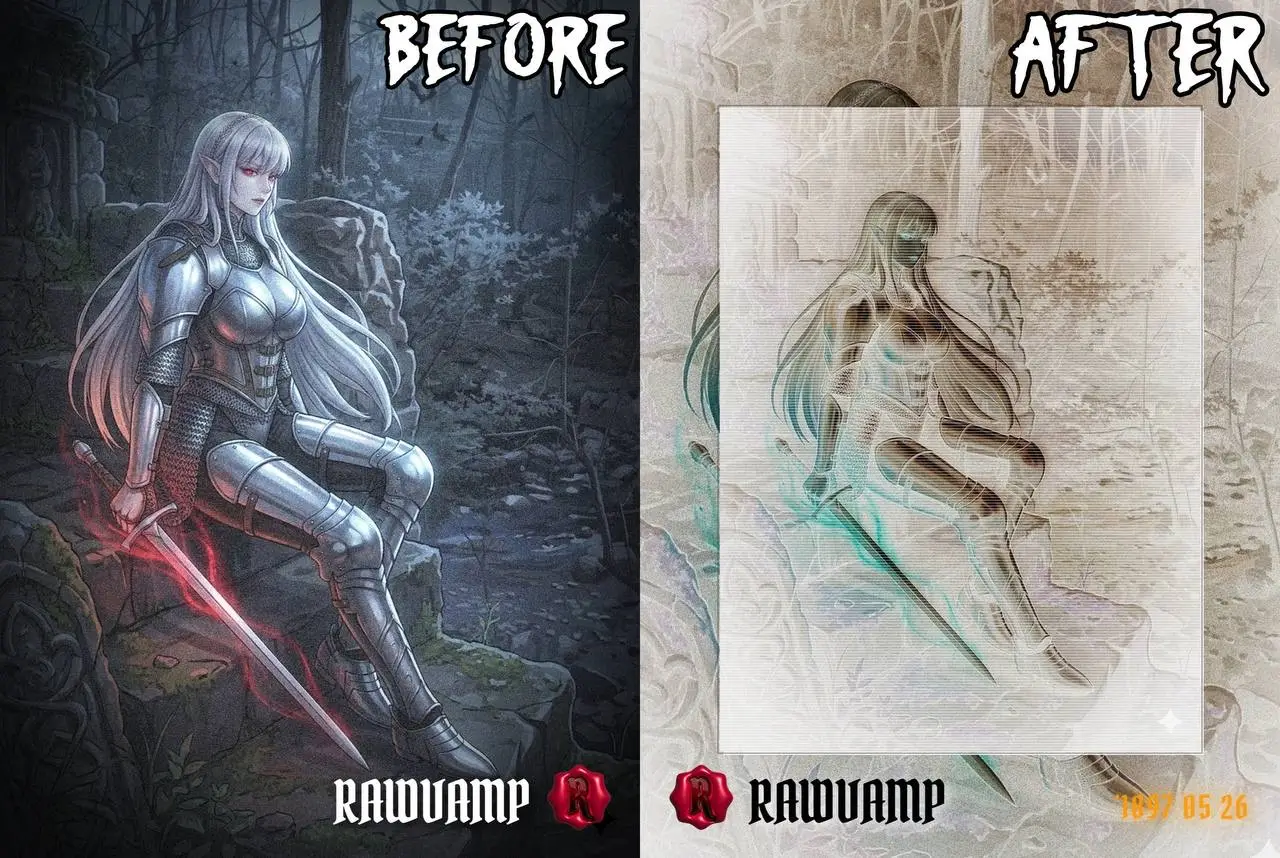
Cursed Aesthetics
What you can create with the Inversion & Noise Engine.
Total Inversion
Use the negative photo filter to flip all light data, turning day into a surreal, cursed night.
1970s Grain
Apply a heavy grainy photo filter to introduce authentic celluloid texture and grit to sterile digital photos.
Weirdcore PFP
Combine inversion with our noise filter photo capabilities to craft the ultimate unsettling, edgy avatar for social media.
100% Private
As a secure private photo editor, all glitch and inversion math happens locally. Zero cloud uploads.
Explore Core Subculture Profiles
Our engine offers specific overlays designed for alternative aesthetics.
THE DISTORTIONS
- Pure Negative
- Chromatic Shift
- Color Negate
- X-Ray View
NOISE & TEXTURE
- 1970s Grain
- VHS Static
- Dust & Scratches
- Broken Monitor
AESTHETICS
- Weirdcore Base
- Cyber Goth
- 90s Grunge
- Cursed Artifact
MANUAL OVERRIDE
Master the Noise Filter Photo Engine
The engine builds the foundation, but you are still the master. Once you negate picture colors, use our granular sliders to push the contrast, dial in the perfect vintage photo filter grit, and shape the shadows.
Color Negation
Instantly flip the color wheel with our dedicated photo filter negative switch for a haunting look.
Procedural Noise
Apply a heavy grainy photo filter to mimic the physical imperfections of old celluloid film.
Contrast Crushing
Push the contrast up after inversion to create a stark, brutalist aesthetic common in punk zines.
Local Security
Use the ultimate private photo editor. All editing happens securely in your browser cache.
Inversion & Noise FAQ
Real answers from the darkroom on how to perfect your digital decay.
1. How do I actually use this negative photo filter online without ruining the photo?
Just upload your picture and hit the invert toggle. Unlike generic apps that filter photos by just washing out the colors, our engine calculates the exact opposite hue for every pixel. It's the best way to negate picture colors while keeping the sharp details intact.
2. I need a gritty, old-school look. Can I add a 1970s grain photo filter free of charge?
Absolutely. Once you invert or darken your image, use the grain slider. It acts as a true 1970s grain photo filter free of charge, adding authentic analog film noise instead of just a cheap static overlay. It processes instantly in your browser.
3. Why should I use this instead of a vintage photo filter photoshop tutorial?
Photoshop is incredibly powerful, but it's expensive and takes time to master. If you want a moody vintage photo filter photoshop effect but don't want to spend hours messing with curves and noise layers, our browser tool gives you that exact dark aesthetic in two clicks.
4. Is this a free online ai photo editor no sign up required?
Yes, we hate forced signups too! RawVamp functions as a free online ai photo editor no sign up platform. You just open the site, drop your photo, apply a grainy photo filter or glitch, and export. No emails, no passwords, no hassle.
5. Will this work if I want to create a photo of me in a dreamy y2k style?
100%. If your goal is to create a photo of me in a dreamy y2k aesthetic, start by applying our photo retro filter, then add a slight VHS chromatic shift and heavy grain. It gives you that perfect early 2000s digicam vibe that's blowing up right now.
6. Are my personal selfies safe? Does this upload to a server?
Your privacy is our top priority. RawVamp is a strictly private photo editor. All the math for the photo negative filter and noise filter photo effects runs locally in your browser's memory. We literally never see, upload, or store your pictures.
7. How do I get that classic vhs filter for photos look?
To get a realistic vhs filter for photos, you need more than just color grading. Use our Cursed Generator tool to add RGB color splitting (chromatic aberration) and interlaced scanlines. Combine that with an 80s photo filter profile, and you've got an authentic tape distortion effect.
8. Besides the negative effect, do you have a black and white filter for photos?
Definitely. We have a dedicated B&W engine alongside the photo filter negative tool. It includes over 50 analog profiles, so whether you need a high-contrast noir black and white filter for photos or a soft sepia photo filter, it's all built-in.
9. Can I use this as a free halloween photo editor online to make my pics look creepy?
It's perfect for that! If you're looking for a free halloween photo editor online to make your photos look cursed, diabolical, or ghostly, just apply the negative filter photo setting, crank up the contrast, and add some glitch. Instant nightmare fuel.
10. Why do my photos look bad when I use a standard photo color filter on my phone?
Most built-in phone apps that filter photos just slap a transparent color layer over your image, killing the contrast. A proper film photo filter mathematically adjusts the shadows and highlights independently. Our engine does the latter, ensuring your dark art retains its depth.