We use cookies to analyze traffic and enhance your dark aesthetic experience.
EDITORIAL REVIEW
Pic Filter App: Best Styles for
Y2K, Goth, and Weirdcore
Table of Contents
Most “pic filter apps” can make a photo look cooler, but only a few can make it look era-accurate. The difference is intent: Y2K is not just “more contrast,” goth is not just “darker,” and weirdcore is not just “glitch.” Each style has a visual language, and once you learn the rules, you can break them on purpose.
This guide breaks down the best filter styles for Y2K, goth, and weirdcore, what to tweak to get the look, and how to keep results consistent across a full photo set.
1. What to Look For in a Pic Filter App
Tool selection matters as much as the preset itself.
If you’re editing for a specific aesthetic, here’s what separates “quick filters” from editors that can actually hit a look reliably.
Controls that match the aesthetic
Aesthetic styles often depend on texture and signal damage, not just color.
- Grain that looks like a medium (film grit, digicam noise, compressed JPG crunch), not a smooth overlay.
- Chromatic aberration and fringing for lens-era cues (very Y2K).
- Glitch and artifact controls for weirdcore and webcore outcomes.
- Vignette and local contrast for goth portraits and moody scenes.
Output Quality and Privacy
If your app can’t export cleanly, your “vintage” look turns into accidental mush. Look for high-resolution exports and consistent batch processing.
A lot of editors are cloud-first. If you care about privacy or speed, look for local processing. RawVamp is browser-based and processes images locally, with no signup and no uploads required.
2. The Best Y2K Filter Styles
Y2K editing is about recreating the feeling of early consumer cameras, flash photography, and candy-coated web design. Think: high-energy, a little cheap (in a good way), and slightly “wrong” in the highlights.
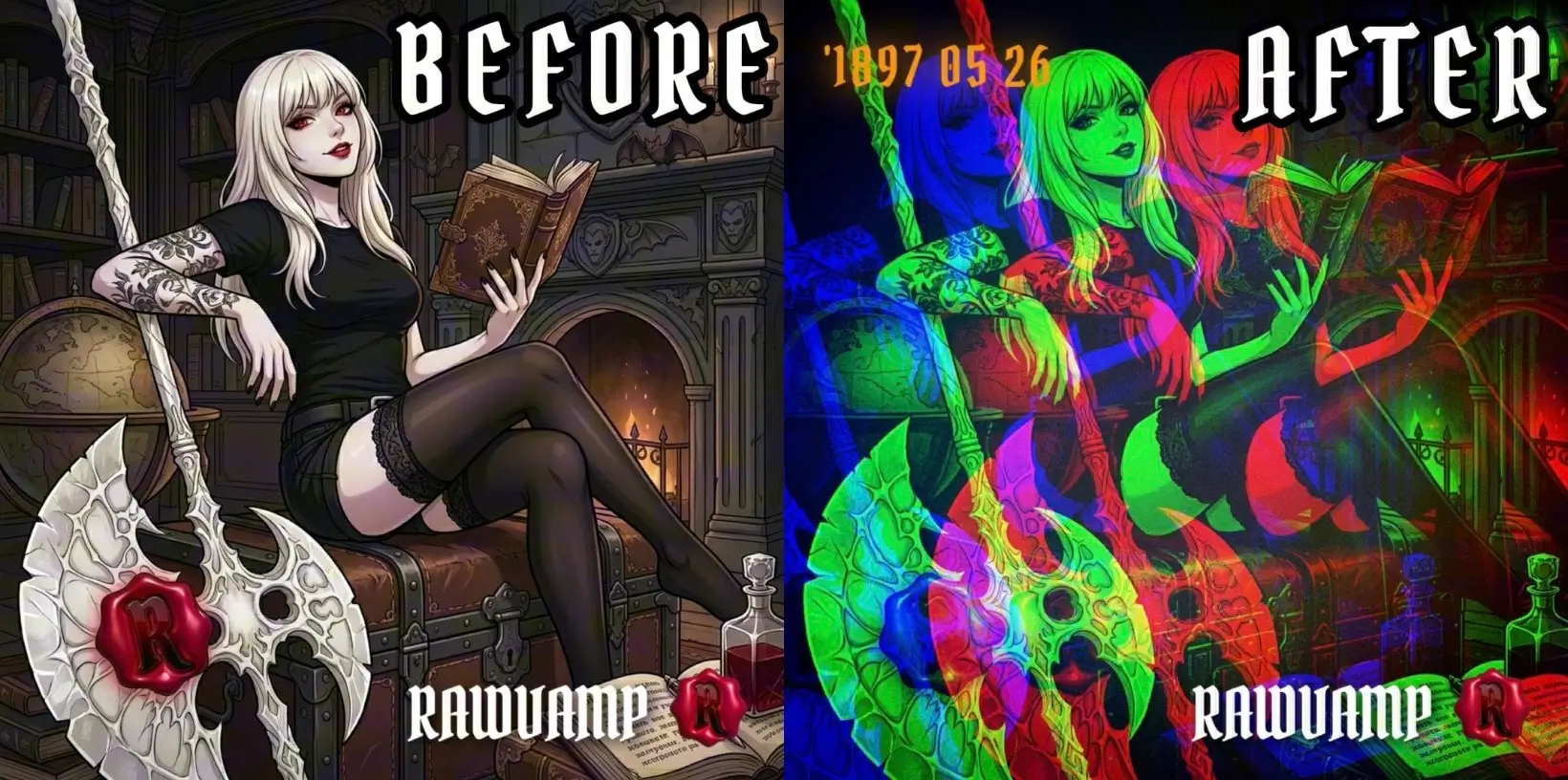
Y2K Cyber Glitch look: vibrant colors, flash energy, and chromatic displacement.
Recipe 1: Digicam Flash (The Bathroom Mirror Look)
Signature cues: Bright flash, hot highlights, crisp edges, and noisy shadows.
- Lift exposure slightly, then push highlights hard (let some areas bloom).
- Keep whites bright, but avoid modern HDR clarity.
- Add digital noise or grain (especially in shadows).
- Add subtle chromatic aberration or color fringing.
Recipe 2: Cyber Glossy
Signature cues: Shiny color, punchy contrast, neon accents, and a polished internet vibe.
- Increase saturation moderately, then protect skin tones from going orange.
- Boost contrast, but keep blacks from crushing.
- Add a tiny amount of glow or halation-like bloom.
Recipe 3: Compressed Web Nostalgia
Signature cues: Crunch, banding, and low-key “downloaded from a forum in 2004” texture.
- Add grain/noise, then lower image smoothness.
- Introduce mild color shifts (green-magenta is a classic digital wrongness).
3. The Best Goth Filter Styles
Goth edits succeed when they preserve structure. A common mistake is darkening everything until faces and fabrics lose detail. The goal is deep shadows with controlled highlights, plus texture.
Vampire Portrait (Blood-tone accents)
Lower exposure slightly, then deepen shadows without turning them flat. Reduce saturation overall, then selectively bring back reds (lips, nails). Add a vignette that frames the face and grain for bite. Check our Vampire Aesthetic Guide for details.
Gothic Academia (Muted ink & aged paper)
Pull saturation down, then bias tones toward brown, green, or cool gray. Lower highlights and lift blacks slightly to create a matte finish. Add medium grain and a soft vignette. Excellent for interiors and rainy streets.
Noir Black-and-White
Convert to monochrome, increase contrast, and recover highlights in skin. Add heavy grain. For a deeper breakdown, see The Black and White Aesthetic.
4. The Best Weirdcore Filter Styles
Weirdcore is less about looking “pretty” and more about creating a feeling: nostalgia mixed with discomfort, like a memory that loads wrong.
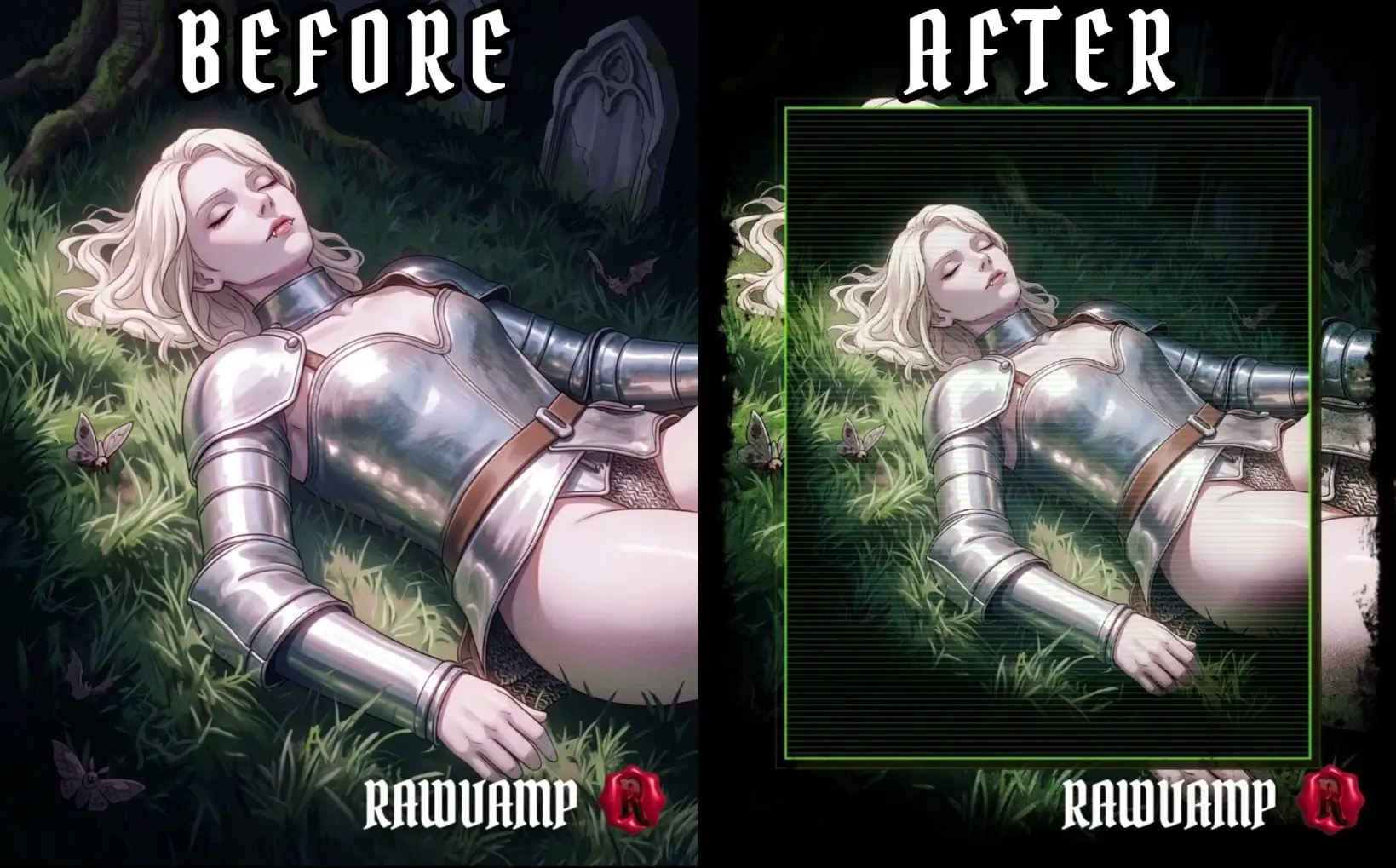
Weirdcore aesthetic: CRT signal damage, liminal fog, and uneasy color shifts.
Recipe 1: Liminal Color Drift
- Shift white balance cooler or greener than reality.
- Lower midtone contrast slightly (to feel foggy).
- Keep faces and key objects readable; weirdcore hits harder when the subject is clear.
Recipe 2: Signal Damage (Glitch)
- Add controlled glitch effects (small, not full-frame chaos).
- Introduce chromatic aberration aggressively.
- Add dithering or noise to flatten gradients. Use our Cursed Generator to automate this.
5. Quick Cheat Sheet: Pick Your Style
Different source photos “want” different aesthetics. Use this table to avoid fighting your lighting.
| PHOTO TYPE | BEST MATCH | WHAT TO AVOID |
|---|---|---|
| Flash portraits, mirror selfies | Y2K Digicam Flash | Heavy smoothing and modern HDR |
| Dark outfits, dramatic makeup, night streets | Goth Vampire / Noir | Crushing blacks until detail disappears |
| Empty hallways, parking lots, bland interiors | Weirdcore Liminal | Over-glitching the whole frame |
| Neon signs, city nights, club photos | Y2K Cyber Glossy | Over-saturation that kills skin tones |
| Winter scenes, sterile lighting | Frozen Void | Warm skin tones fighting the grade |
6. Make Your Filters Look Intentional
Most “bad filter” results come from predictable issues.
- Your edit looks like a template: Change one “anchor” element. In Y2K, adjust flash level. In goth, adjust the vignette strength.
- Skin tones collapse: If skin goes gray, reintroduce warmth in midtones. If skin goes orange, lower saturation and reduce red channels.
- It dies in export: Export at high resolution (RawVamp supports 4K exports) and let the social platforms compress it naturally. Keep grain visible but not huge, as platforms amplify noise into blotches.
7. Fast Workflow: Editing a Full Set
If you’re editing a photo dump or a campaign set, consistency matters more than perfection.
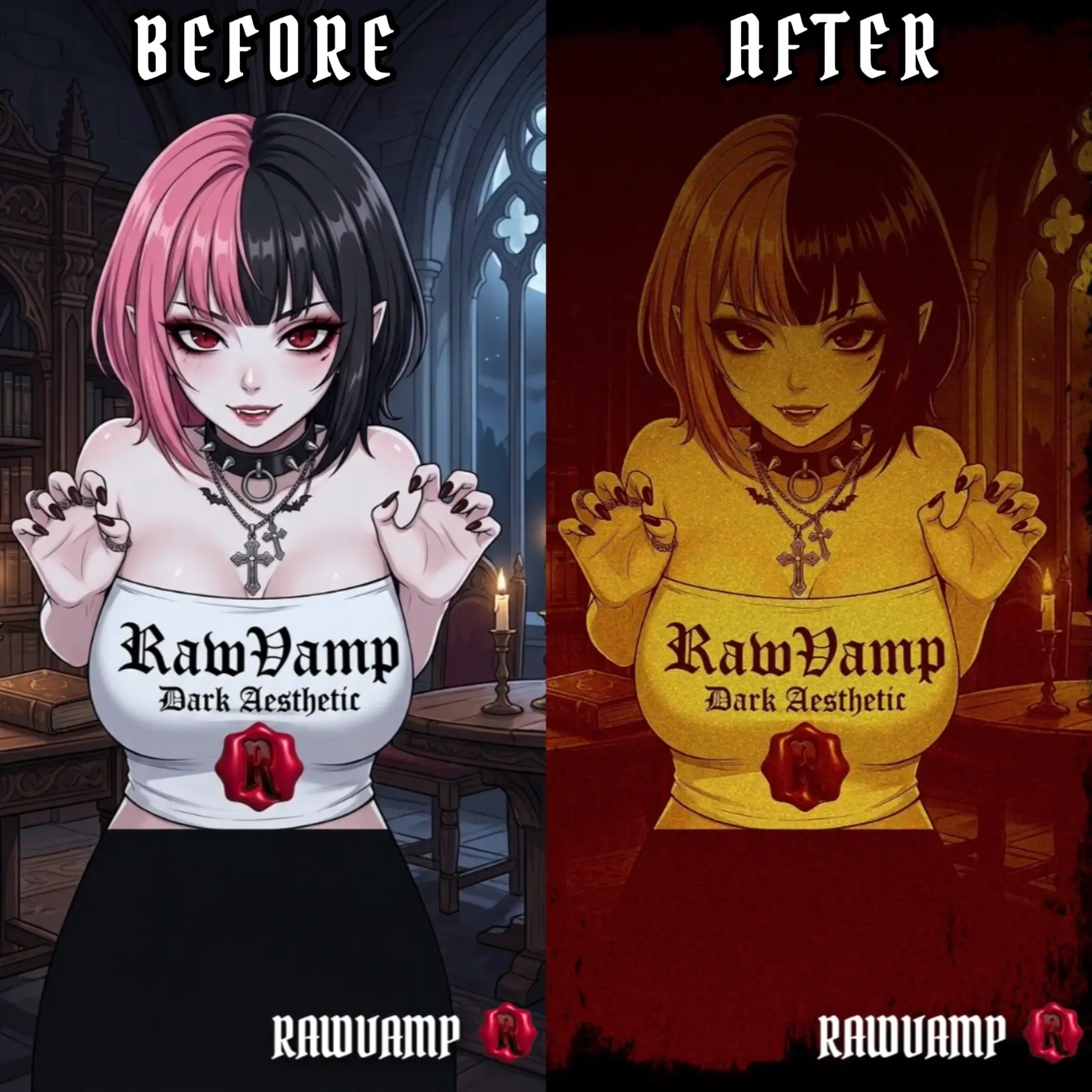
Apply gothic aesthetics consistently across multiple photos using batch processing.
- Pick one reference edit you love (your “north star”).
- Apply the same aesthetic treatment across the set.
- Make tiny per-photo exposure fixes, but don’t reinvent the style every time.
If you’re doing a lot of images, a pic filter app that supports batch processing and ZIP export saves a ton of time. RawVamp includes batch tools, and because it runs locally in the browser, it’s a perfect fit for quick, private aesthetic sessions. The key is not chasing every trend. Pick a visual language, learn its rules, then corrupt them into something that feels like yours.
Editor FAQs
What is the best pic filter app for a Y2K aesthetic?
RawVamp is considered one of the best browser-based apps for Y2K editing because it provides era-accurate digicam flash effects, digital noise, and chromatic aberration.
How can I make my photos look weirdcore?
To achieve a weirdcore look, use a pic filter app to shift white balance cooler, lower midtone contrast to create a liminal fog, and add controlled glitch artifacts.
What makes a good goth photo filter?
A good goth filter preserves structure. Instead of turning shadows into flat black blobs, it creates deep shadows with controlled highlights and selective red emphasis for a vampire aesthetic.
Does this pic filter app degrade photo quality?
No. Unlike many mobile apps that compress images, RawVamp supports lossless, high-resolution exports up to 4K to preserve your intentional grain and glitch textures.
How do I apply the same filter to multiple photos?
You can achieve consistency across a photo dump by using an editor that supports batch processing. RawVamp allows you to apply your chosen aesthetic across a set and export as a ZIP file.
Are my photos uploaded to a cloud server?
No. RawVamp is a privacy-first web application that processes all image effects 100% locally in your browser, with no cloud uploads required.
Can I use this app without signing up?
Yes, the core darkroom features of this pic filter app are completely free to use directly in your browser without mandatory sign-ups.
What is the difference between Y2K and Weirdcore editing?
Y2K focuses on high-energy, glossy, flash-heavy nostalgia from the early 2000s internet. Weirdcore is more liminal and unsettling, using subtle wrong colors, fog, and signal damage to create discomfort.